
EASY MP3 TO VIDEO
Turn an MP3 + Image into a Full HD Video — Fast.
Turn your audio into a ready-to-use video without complicated editing software. Select your MP3, select your image, click Create Video, and Easy MP3 to Video does the rest.
WindowsVersion 1.0Free download
DOWNLOAD FOR WINDOWSFREE DOWNLOAD • Windows installer ZIP
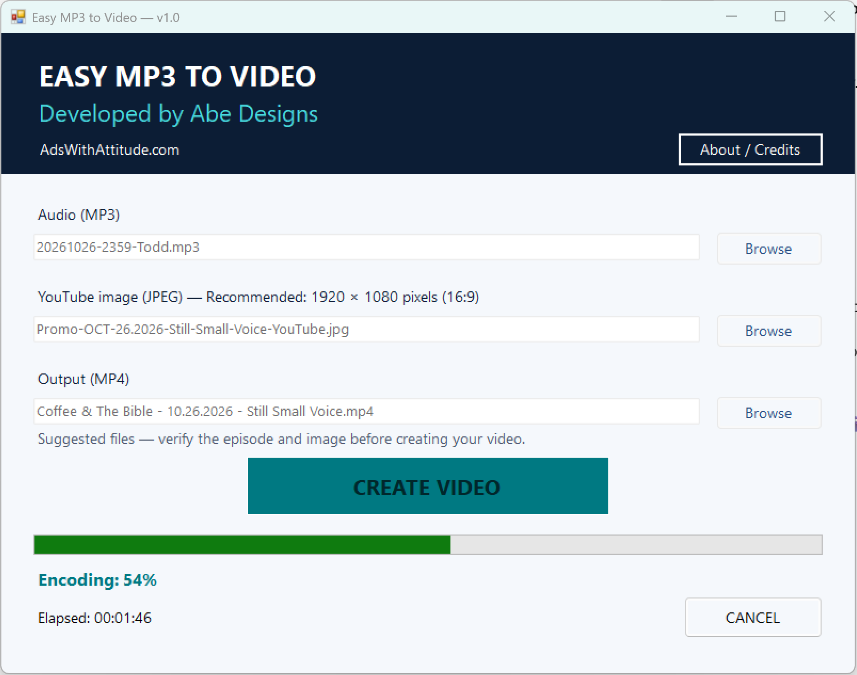
Three steps. One finished video.
SELECT YOUR MP3
Choose the audio file you want to convert.
SELECT YOUR IMAGE
Choose the image that will appear throughout the video.
CREATE VIDEO
Click Create Video and Easy MP3 to Video automatically creates the finished MP4.
No video-editing experience required.
Everything you need. A workflow you can follow.
- Converts MP3 audio + an image into an MP4 video
- Supports 1920 × 1080 Full HD
- Extremely simple interface
- Automatic file selection workflow
- Real-time conversion progress
- Elapsed-time display
- Cancel control
- Fast still-image video encoding
- Creates standard MP4 video files
- Native Windows installation
- Start Menu integration
- Windows taskbar pinning support
- Abe Designs branding
- No complicated video editor required
Use a 1920 × 1080 image for a Full HD presentation.
An hour of audio. A few minutes of conversion.
In a real-world production test, Easy MP3 to Video converted an approximately one-hour audio program into a 1920 × 1080 MP4 in 3 minutes 27 seconds on the developer’s test computer.
Conversion speed varies depending on computer hardware, audio length, image resolution, and other system conditions.
Give your audio a visual home.
Made for Windows.
Current release platform: Windows
Easy MP3 to Video is a Windows desktop application. FFmpeg and ffprobe are required separately; they are not included in the download.
There is no macOS, Linux, Android or iOS release currently offered.
Simple means simple.
No subscription.
No advertising inside the application.
No unnecessary account or registration required.
This release is unsigned, so Windows may display a publisher or reputation warning. An independent security scan has not been verified.
READY TO TURN YOUR AUDIO INTO VIDEO?
Easy MP3 to Video makes it simple.
DOWNLOAD FOR WINDOWSExtract the ZIP and run Easy-MP3-to-Video-Setup.exe. FFmpeg and ffprobe are required separately.
Select your MP3. Select your image. Create your video. That’s it.